
Two storefront pieces, one job
Prime MOQ's conditions take effect at checkout on their own. The shopper-facing limit message on the product page needs one of these two pieces turned on in your theme editor, not in your Shopify admin.
Piece | Where it shows | How it is added |
|---|---|---|
App embed | Product page, and the cart if your theme uses a cart drawer | Toggle on in Theme editor > App embeds. Works on any Online Store 2.0 theme with no section edits. |
App block | One specific section of a template, for example below the price on the product template | Added manually with Add block in the section you choose |
Most stores only need the app embed. It is automatic and requires no layout decisions. The app block exists for merchants who want the message in an exact spot the default layout does not offer.
Enable the app embed
Open the theme editor. From Settings > Message position, click Edit theme. You can also go there manually through Online Store > Themes > Customize on your active theme.
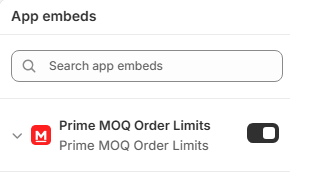
Open App embeds. In the theme editor's left sidebar, click the plug icon to open App embeds and find the Prime MOQ entries.
Toggle on and save. Enable the embeds you want and click Save. The Dashboard's setup checklist detects this on its own and marks the step done, so there is no need to come back to the app.
Add the app block instead
Open the template you want. In the theme editor, navigate to the Product template, or the Cart template for the cart version.
Add the block. Click Add block in the section where the message should appear and choose Prime's message block from the Apps group.
Position and save. Drag the block to the exact position you want inside the section, then click Save.
Which themes are supported
Both pieces use Shopify's Online Store 2.0 theme architecture. Any current Shopify theme supports this out of the box, including Dawn and its derivatives and effectively every theme published since 2021.
Legacy pre-2.0 themes do not support app embeds or app blocks at all. If your App embeds panel is empty or missing, the theme most likely needs upgrading first. Shopify's own theme store flags this during an upgrade.