
Prime MOQ

Prime MOQ vs Shopify's Native Quantity Rules

Shopify's built-in quantity rules cover a narrow slice, and only for B2B on Plus. Here is exactly where the two overlap and where they do not.

Prime MOQ Team

Prime MOQ Team

Updated ยท 1 min read

Short answer

Shopify's native quantity rules are available on Plus, tied to B2B catalogs and price lists, and cover a minimum, maximum and increment on quantity. Prime MOQ works on any plan, applies to both retail and B2B checkouts, and adds value-based, weight-based and repurchase limits plus custom messaging and styling.

  • Both can enforce a minimum, maximum and increment on quantity for a product.
  • Native quantity rules require Shopify Plus and a B2B catalog. Prime MOQ does not.
  • Only Prime MOQ covers cart value, shipping weight and cross-order repurchase caps.
  • Native rules use generic Shopify UI text. Prime MOQ has per-language custom messages and styling.

The short answer

Shopify's native quantity rules, available on Shopify Plus and tied to B2B catalogs and price lists, cover a narrow slice of what Prime MOQ does, and only for B2B storefronts.

Prime MOQ works on any plan, applies to both retail and B2B checkouts, and covers quantity, value and weight-based limits plus repurchase caps, rather than only a minimum, maximum and increment on quantity.

Where they overlap

Both can enforce a minimum, a maximum, and a step increment on quantity for a product.

Where Prime MOQ goes further

CapabilityShopify native quantity rulesPrime MOQ
Available on standard, non-Plus plansNoYes
Applies to regular retail checkout, not just B2BNoYes
Value-based cart total limitsNoYes
Weight-based limitsNoYes
Repurchase caps across separate ordersNoYes
Per-language, customisable message textNo, generic Shopify UIYes
Scope by tag, vendor, product type, price range or metafieldLimitedYes
Custom styling of the limit messageNoYes

When you might use both

If you are on Shopify Plus with a B2B catalog, native quantity rules are a reasonable baseline for pure per-product quantity increments tied to a specific B2B price list.
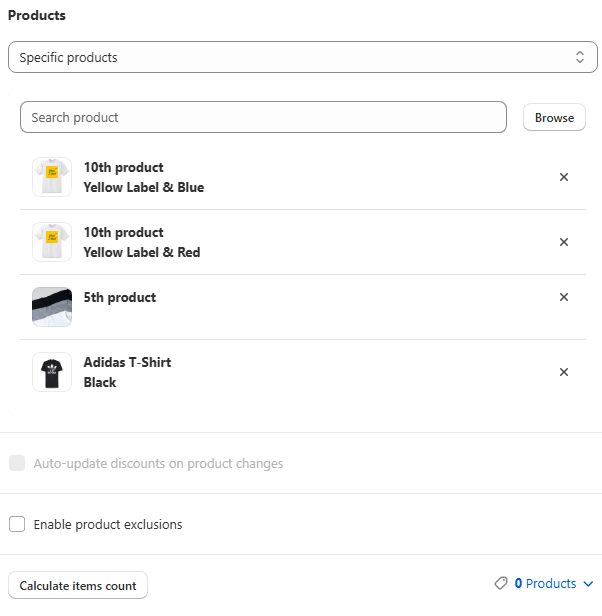
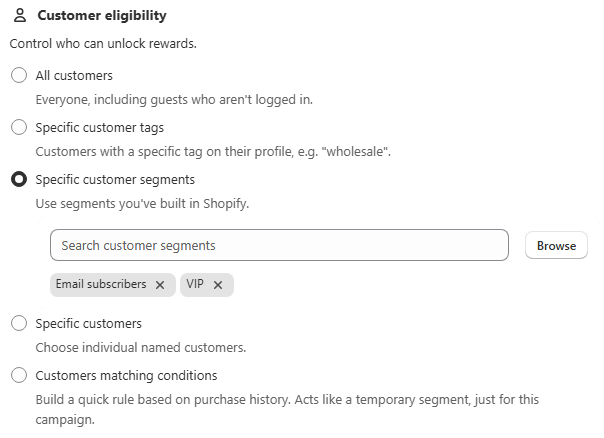
Prime MOQ is the better fit whenever you need value or weight-based limits, repurchase enforcement, custom messaging and styling, or simply want the same rule logic applied uniformly across retail and B2B checkouts instead of maintaining two separate systems.

Frequently asked questions

Do I need Shopify Plus to set a minimum order quantity?

No. Shopify's own quantity rules need Plus and a B2B catalog, but Prime MOQ works on standard plans and covers retail checkouts too.

Can I use Shopify's native quantity rules and Prime MOQ at the same time?

You can, but keep them off the same products to avoid two systems enforcing overlapping constraints on one item. Using native rules for B2B price-list increments and Prime MOQ for everything else is the cleaner split.

Do Shopify's native quantity rules apply to retail customers?

No. They are tied to B2B catalogs and price lists, so retail checkouts are unaffected by them.

Can Shopify's native rules limit cart value or weight?

No. They only cover quantity, in minimum, maximum and increment form. Value and weight thresholds need an app.

Can I customise the message Shopify shows for a native quantity rule?

No. It uses generic Shopify UI text. Prime MOQ has per-language message fields per rule, plus a global styling page.

Which one should I use for case packs?

Either can express an increment on Plus with a B2B catalog. Prime MOQ is the choice if the case pack also applies to retail shoppers, if you want the carton size explained in your own wording, or if you want to combine it with a minimum in the same rule.

Best for: Merchants on Plus deciding whether native quantity rules are enough, and merchants on standard plans confirming they have an option at all.

Applies to: Shopify Plus B2B catalogs, Standard Shopify plans

Did this answer your question?

Related articles

Still stuck?

Tell us what you are trying to set up and we will reply within 24 hours.

Contact support