
Why this exists
A blocked cart is usually a dead end. The shopper hits your minimum, reads the message, and leaves. But some of those carts are exactly the customers worth talking to: a wholesale buyer sitting just under your minimum who would happily place a bigger order after one conversation, or a bulk buyer who needs a quote rather than a checkout.
The Contact us button turns that specific moment, the one where somebody has already told you they want to buy and been told no, into an invitation to get in touch.
What you can configure
Setting | Where | Options |
|---|---|---|
"Contact us" button in Limit message | Design page, Styling card | On or off |
Contact Us URL | Design page, Styling card, shown once the toggle is on | Any URL: your contact page, a wholesale enquiry form, a booking link |
Turn it on
Open the Design page from the Prime MOQ sidebar.
Scroll to the Styling card and tick "Contact us" button in Limit message.
Enter your Contact Us URL in the field that appears. This is where a blocked shopper lands, so send them somewhere that can actually take the enquiry.
Check the live preview. The right-hand preview card now shows the Contact Us line below the sample limit message, in the same place a shopper will see it.
Save. The link now appears under every rule's limit message across the store, whenever a shopper is blocked.
Where the link appears
Page | When it shows |
|---|---|
Product page | Directly under the limit message, in step with the message itself, so it appears and disappears as the selected variant and quantity cross the rule |
Cart page | At the foot of the cart summary, once at least one rule in the cart is being violated |
It opens in a new tab, so a shopper who clicks it does not lose the cart they already built.
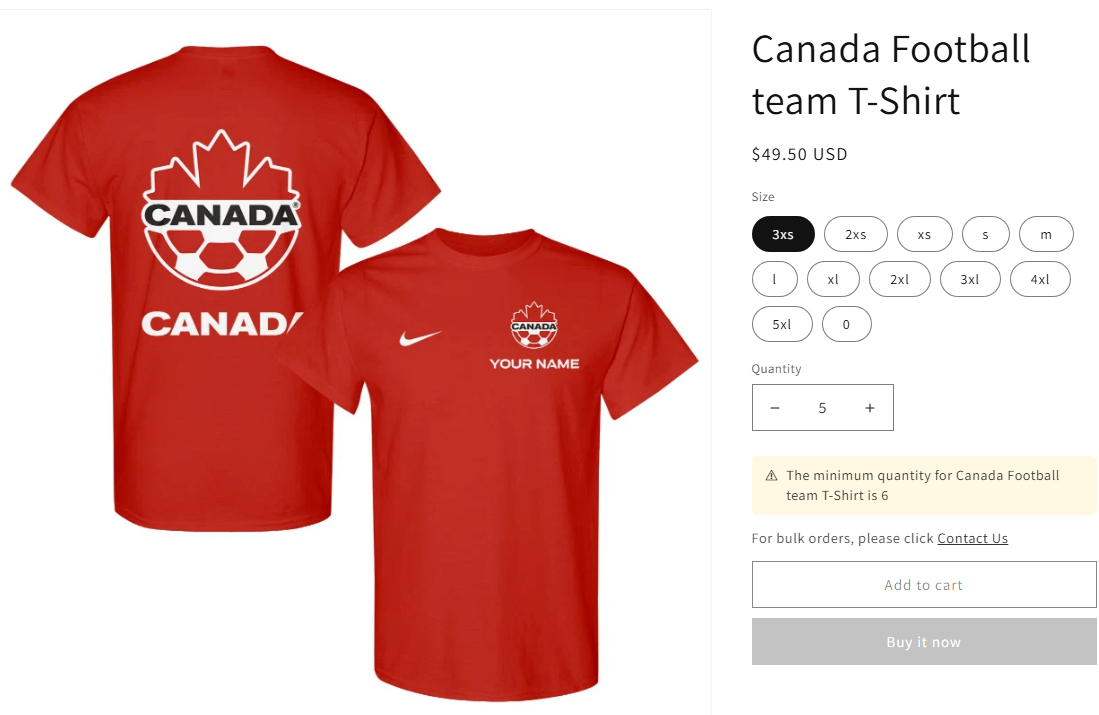
How clicks are counted
Every click is recorded automatically. There is nothing to configure beyond the toggle and the URL, and no tag or pixel of your own to install.
Those clicks roll up into the Dashboard's Last 7 days card as Wholesale leads via Contact us, next to the blocked and validated order counts, so you can see whether the link is actually generating enquiries rather than just sitting there. The counts are aggregate only, with no customer details stored. See Seeing How Often Your Rules Block Checkout for how to read that card.
Common mistakes
The tickbox is on, but no link shows. Confirm you also entered a URL. The link is deliberately not rendered when the URL is blank, so a half-finished setting never becomes a dead link on your storefront.
Expecting it on every product page. It only shows once a shopper's selection actually violates a rule and the limit message itself is showing. It is not a standalone contact widget.
Wanting a different URL per rule. Not supported. Like the rest of the Design page, this is one global destination for every rule's message.
Pointing it at a page with no way to reply. A link to a general About page wastes the moment. Send people to something that captures an enquiry.