
Every eligibility option
The Customer eligibility card decides who a rule applies to. By default a rule applies to every customer.
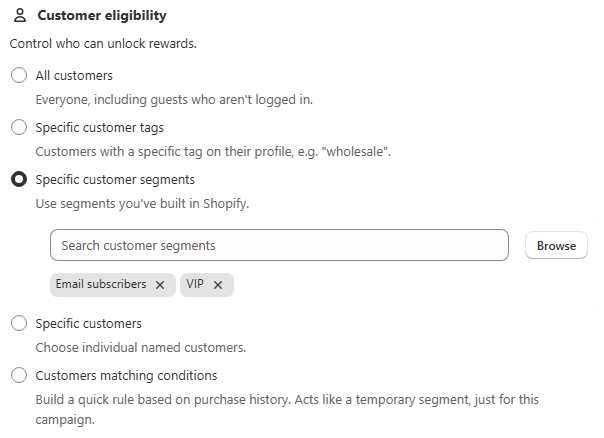
Option | Matches |
|---|---|
All customers | Everyone, including guests who are not logged in |
Specific customer tags | Customers carrying a chosen tag, such as |
Specific customer segments | Any segment you have already built in Shopify |
Specific customers | Individually named customers |
Customers matching conditions | A purchase-history condition built into the rule, for example "number of orders greater than 0" |
Repurchase-period checks and purchase-history conditions both require the customer to be logged in at checkout. A guest has no purchase history to evaluate.
Restricting by country
Below eligibility, the Countries field applies a rule only to customers from specific countries. This is useful for freight-driven weight rules that only make sense in certain shipping zones, or wholesale minimums that differ by region.
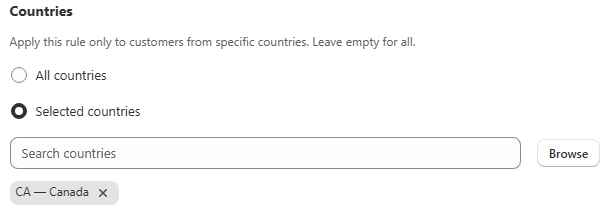
All countries, the default, applies the rule everywhere.
Selected countries reveals a search field and a Browse button that opens a country picker. Only the countries you check apply.
Depending on your plan one of these two options may show as Upgrade required instead of being selectable. See Plans and Pricing.
Scope a rule to a customer group
Open Customer eligibility in the rule editor.
Choose the match type. Select Specific customer tags, which is the most common choice for a wholesale-only rule, or Specific customer segments, or Specific customers.
Pick the tag, segment or customers. Enter or select the actual values.
Add a country restriction, optionally. Switch Countries to Selected countries and use Browse to check the ones you want. Otherwise leave it on All countries.
Save.
Using "Customers matching conditions"
This builds a quick, rule-specific version of a purchase-history segment without creating a real Shopify customer segment first. For example, "only customers with more than 0 previous orders" excludes first-time buyers. It is evaluated the same way a repurchase check is: at checkout, for logged-in customers only.
Common mistakes
A wholesale rule affecting retail customers. Almost always eligibility left on All customers instead of scoped to the wholesale tag or segment.
A rule not triggering for a tagged customer. Confirm the tag is spelled and cased exactly as it appears on the customer's Shopify profile.
Guests unaffected by a condition-based rule. Expected. A purchase-history condition cannot evaluate an account that does not exist.
A cleared country list. Switching back to All countries drops the selection, so you will need to re-pick the countries if you switch back later.