
Why retail and DTC stores use Prime MOQ
Direct-to-consumer stores usually do not need a wholesale minimum, but two problems show up constantly: single-unit orders that lose money once payment fees and packaging are counted, and resellers quietly buying up limited-drop inventory to flip elsewhere. Prime MOQ addresses both without touching your pricing.
Reading path
Step | Article |
|---|---|
1 | Minimum Order Quantity, to stop unprofitable single-unit orders |
2 | Maximum Order Quantity, to cap units per order during a drop |
3 | Repurchase Limits, to block stockpiling across several orders |
4 | Styling the Limit Message, so the message reads as policy rather than error |
Two common setups
Stop unprofitable orders.
Limit type: Quantity, with Minimum quantity 2. A Value rule with a small minimum cart total works too.
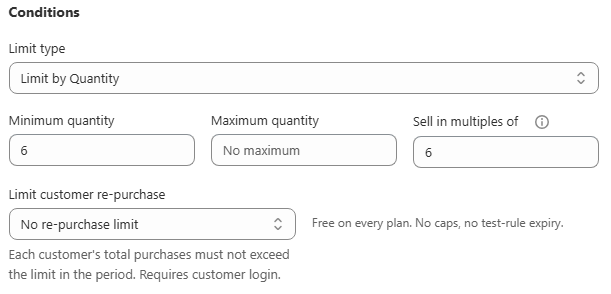
types Applied products: All store, or just your lowest-margin items.
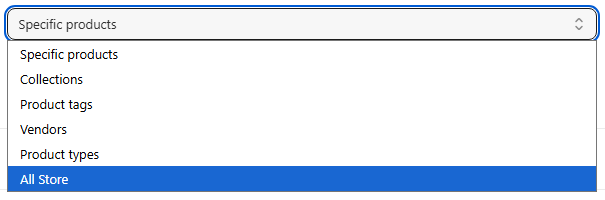
scopes
Protect a limited drop from resellers.
Limit type: Quantity, with Maximum quantity 2
Limit customer re-purchase: Per day or Per 30 days, so the same account cannot come back with a second order to get around the per-order cap
Applied products: the drop's specific product or collection
Schedule: start and end dates matching the drop window
Keeping the message on brand
A blocked cart is still a customer-facing moment. A generic red error reads as broken, while a well-styled and clearly worded message reads as intentional policy. Use the Design page to match your theme's colours and font, and Messages to write copy in your own voice, for example "Limited to 2 per customer while supplies last" instead of the default wording.